Online reviews · · 7 min read
How to reply to Google reviews with AI, and when not to
Customers expect a reply to every review, and fast. How to let AI draft the routine ones, check each one before it posts, and which to answer yourself.
Key points
- Most customers expect a reply to every review, but half are put off by generic ones, so AI should draft and a person should finish.
- Sort reviews first: let AI draft the routine positive ones, and write anything angry, legal, medical or personal yourself.
- Never let a reply confirm details about the reviewer. Google bans private details in replies, and privacy law may too.
- Do not use AI to write reviews, and do not let staff post them without saying who they work for.
Forty unanswered reviews sit on the profile. Most are five stars and a sentence. Two are angry. One is from March, and the customer who wrote it is still waiting.
Replying to all of them by hand is a Sunday afternoon nobody has. Letting software reply to all of them is how a business ends up thanking an angry customer for their "wonderful feedback". This guide is the middle path: AI drafts, a person decides.
Who this is for and what you need
This is for owners and managers who look after their own Google Business Profile: a restaurant, a salon, a trades shop, a clinic, a store. It assumes the profile is already verified, because Google only lets verified businesses reply.
You need access to the profile, an AI chat assistant you already use (or Google's own button, if your account has it), and about an hour to set up. After that, budget ten to fifteen minutes a week.
The reason to bother is in BrightLocal's 2026 survey of 1,002 American consumers. They are US numbers, but nothing suggests Canadian shoppers are more patient.
89%
expect business owners to respond to reviews
BrightLocal, 2026
50%
are unlikely to choose a business that gives templated or generic replies
BrightLocal, 2026
19%
expect a same-day reply, up from 6% a year earlier
BrightLocal, 2026
The same survey found 80% are likely to use a business that replies to all of its reviews, and 42% are unlikely to use one that never replies. Speed matters, and so does sounding like a person. That is exactly the tension AI drafting has to handle.
Check what Google already offers
In March, Search Engine Roundtable reported that Google was testing a "Reply to reviews with AI" option in the Business Profile dashboard, described as "Use Google AI to create personalised replies that build trust". It appeared for only some accounts, and in one tester's account only on certain reviews: an older one-star review got a suggestion while other unanswered reviews did not. The tester called it promising but not fully optimized.
So open your profile's reviews section and look. If the button is there, it is the easiest option, because the draft appears where you reply. If it is not, a general chat assistant does the same job with one extra copy and paste. Either way, the steps below are the same. The button saves typing, not judgement.
Sort the reviews before you draft anything
Not every review should go anywhere near an AI. Sort them into two piles before you open any tool.
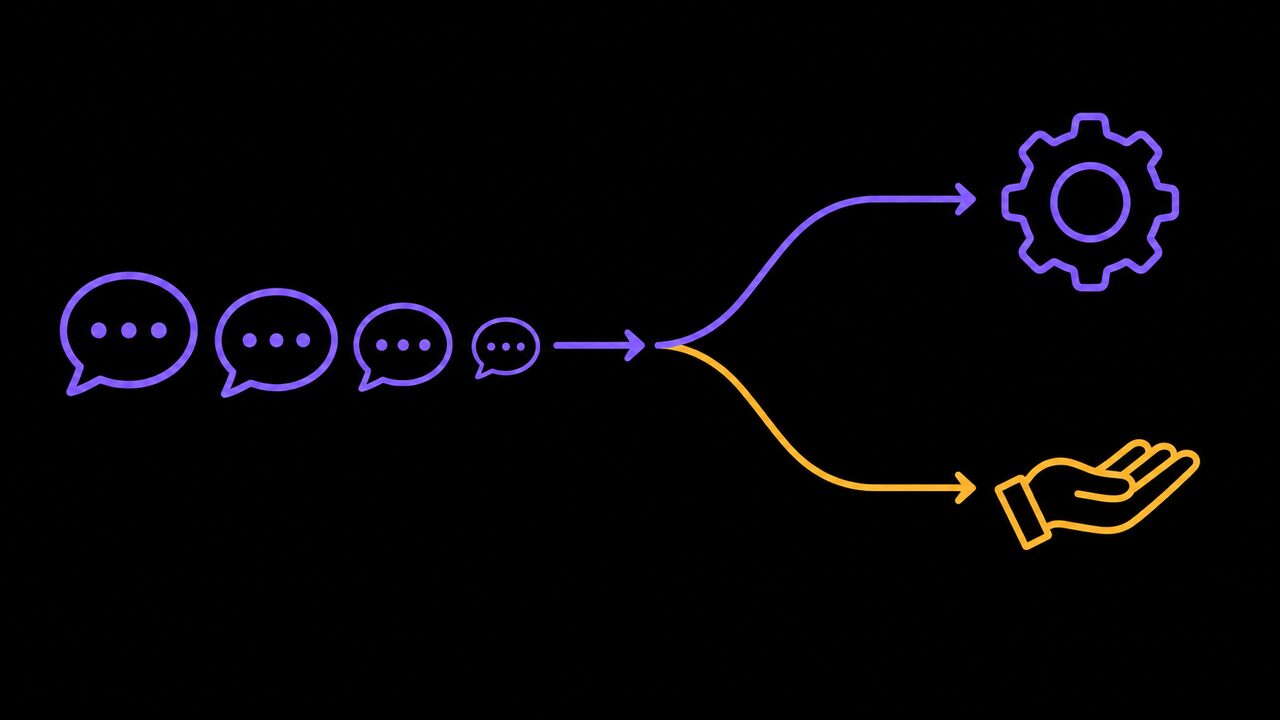
AI can draft these:
- Positive reviews, with or without text.
- Mild, specific complaints you have already fixed ("the patio was cold", "parking was hard to find").
- Simple questions left in a review ("do you open Sundays?").
Write these yourself:
- Anything angry, or anything that names a staff member.
- Anything that mentions injury, illness, a refund dispute, a lawyer or a threat.
- Anything in a health, legal or financial setting that touches on the reviewer's own care or case.
- Anything you suspect is fake, or from a competitor.
The second pile is small for most businesses. It is also where a bad reply does real damage, and where an AI is most likely to sound sorry in all the wrong ways.
Write the rules once and reuse them
The difference between a generic reply and a useful one is mostly the instructions. Write them once, save them in a document, and paste them in every time (or set them as custom instructions in your chat tool).
Google's own tips make a good base. They say to keep replies "short and simple", to skip generic thank-yous, to be "conversational, not promotional", and to personalize: use the reviewer's name, mention their specific feedback, and sign off with your name or initials.
Turn that into something like this:
Draft a reply to this Google review for [business name]. Two to three sentences. Use the reviewer's first name. Mention one specific thing they wrote. No discounts or offers. No exclamation marks. Do not mention anything about the customer that is not in their review. Sign off as [your name].
Then add a few lines in your own voice: words you use, words you never use, and whether you say "folks" or "everyone". Paste in three replies you have written yourself as examples. That does more for your voice than any adjective.
The usual mistake is skipping the examples. Without them, every business gets the same reply.
Read every draft before it posts
Treat each draft as something a new hire wrote on their first day. Read it against the review, then check four things:
- Does it answer what they actually said? AI often thanks people for things they did not mention.
- Is every fact right? Opening hours, a dish name, a policy. If the draft invents a detail, delete it.
- Does it promise anything? "We'll make it right" is a commitment. Only keep it if you mean it.
- Would you say it to their face? If not, rewrite it.
If a tool offers to reply to a whole batch at once, read each one anyway. Replies are public, and Google says the reviewer is notified when you reply and can still change their review afterwards. A careless reply can turn a four-star review into a one-star one.
Google also checks replies against its content policies, which usually takes up to 10 minutes, so a reply will not appear the instant you post it.
Keep the reviewer's details out of the reply
This is the step that matters most, and it is the one AI gets wrong most confidently.
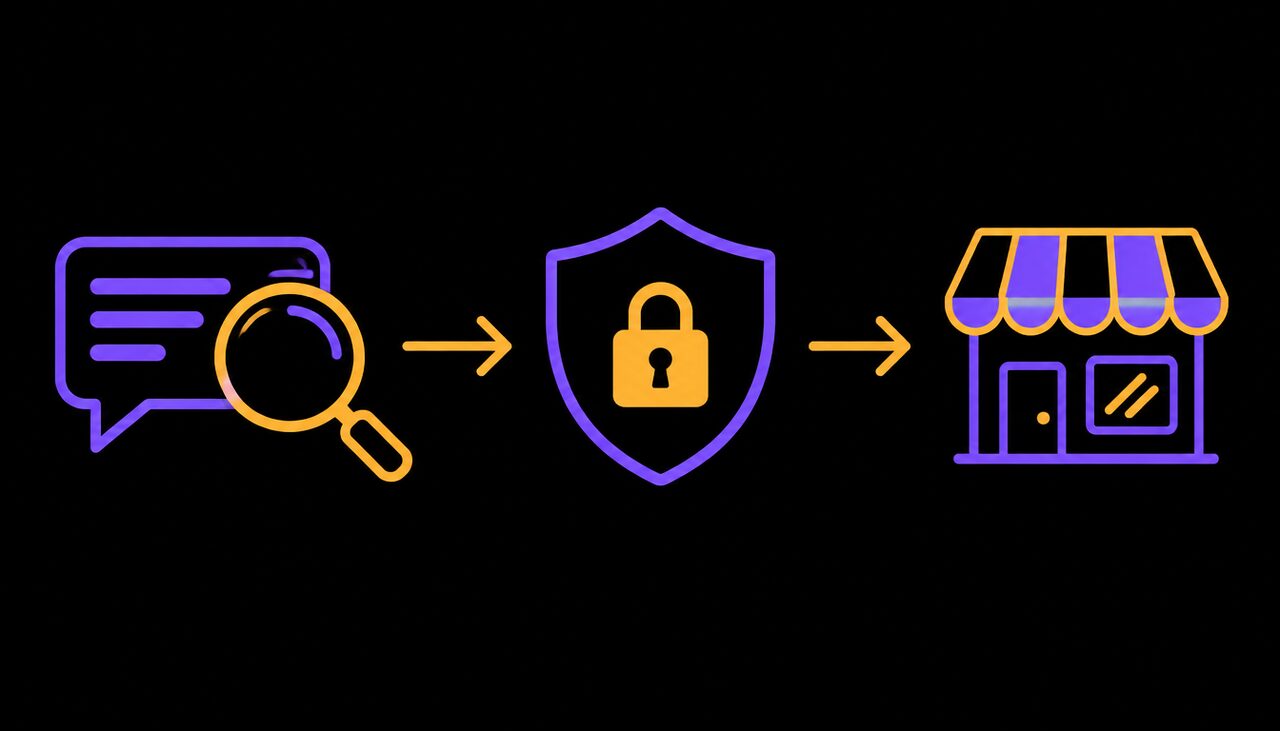
Google's tips say to "protect privacy" and never share a reviewer's private details, and to move a complicated complaint to phone or email. An AI that has been given your booking notes or order history will happily write "Sorry your colour appointment on the 14th ran late, Priya". That is the reviewer's personal information, posted publicly.
Canada's federal privacy law, PIPEDA, covers businesses handling personal information in commercial activity, and defines that information as "any factual or subjective information, recorded or not, about an identifiable individual". A reply that confirms what someone bought, when they came in, or what treatment they had is that kind of information.
Give the AI the review and nothing else. What it does not know, it cannot post.
The simple rule: paste in only the review text. Never paste customer records, booking details or private messages into the tool. Reply only to what the reviewer chose to make public, and take anything else offline.
Leave review writing alone
AI drafting replies is fine. AI writing reviews is not, and neither is staff quietly posting them.
The Competition Bureau has warned businesses that "anyone who writes or permits writing reviews that give a false or misleading impression to consumers" can be liable under the Competition Act. Employees who review their own employer must disclose that they work there, and if they cannot make that clear, the Bureau says they should not post the review at all. It expects businesses to train staff on this and to have a way to catch it.
So: no AI-written "customer" reviews, no asking staff to post five stars, and no replies that pretend to be from a customer.
Common mistakes
- Replying to an angry review with an AI apology. It reads as a form letter at the moment the customer most wants a person.
- Feeding the tool customer data. Paste in the review only.
- Publishing in bulk. One wrong reply in a batch of thirty is still public.
- Adding offers. Google's tips say not to use replies to offer deals, and it reads as buying the review.
- Arguing. If a review is false, reply briefly and calmly, and do not debate it in public.
- Letting it drift. Re-read a month of replies every so often. If they all sound the same, rewrite your rules.
Where to start
- This week, open your reviews and sort the unanswered ones into the two piles. Write the second pile yourself.
- Write your instructions and three example replies on one page, and use them to draft the rest, reading each one before it posts.
- Set a weekly fifteen-minute slot to reply to new reviews, so nobody waits until March again.
If you want help setting up your review replies, or an assistant that drafts them in your voice, you can book a call with Trimotech.
Sources
- Manage customer reviewsGoogle Business Profile Help
- Local Consumer Review Survey 2026: Star Ratings Keep Rising, Old Reviews Don't Cut ItBrightLocal, February 11, 2026
- Google Tests Reply To Reviews With AlSearch Engine Roundtable, March 24, 2026
- Tips to get more reviewsGoogle Business Profile Help
- PIPEDA requirements in briefOffice of the Privacy Commissioner of Canada, May 1, 2024
- Online reviews posted by employees: businesses could be liableCompetition Bureau Canada, January 18, 2024
Questions
- Will Google penalize my business for replying to reviews with AI?
- Google checks every reply against its content policies before it appears, and its help pages say nothing against drafting with AI. Google's own Business Profile has been testing a Reply to reviews with AI button. The risk is not a penalty but a generic or wrong reply that customers can read.
- Should I reply to every review, even the five-star ones with no text?
- BrightLocal's 2026 survey found 80% of consumers are likely to use a business that replies to all its reviews. Google's own tips say to skip generic thank-yous, so keep short replies specific: name what the customer mentioned, or keep it to one line.
- Can I mention what a customer bought or what happened in their visit?
- Only what they already wrote publicly, and even then carefully. Google says never to share a reviewer's private details, and in health, legal or financial services, confirming someone is a client at all can be a disclosure of their personal information. Move anything specific to a phone call or email.
Read next
-
AI news, October 12 · · 7 min read
This week in AI: GPT-6, a cheaper Haiku and call recording rules
ChatGPT moved to GPT-6, Anthropic cut the price of its small model by up to 90%, and Canada's privacy watchdog updated its rules for recording customer calls.
-
Operations · · 6 min read
How to turn what is in your head into written procedures with AI
Most small businesses run on what one or two people know. Here is how to use AI to get it on paper in an afternoon, and how to check it before staff rely on it.
-
Getting paid · · 5 min read
How to chase overdue invoices with AI without losing the customer
Late invoices cost small firms time and cash. Here is how to let software remind and AI draft the messages while you keep control of tone and escalation.