Meetings · · 7 min read
How to use AI for meeting notes, and what to keep out of them
Google Meet and Teams can write up your meetings and list the action items. How to set it up, check its work, and which conversations to leave off the record.

Key points
- Check your Google Workspace or Microsoft 365 plan first. The note-taker you need may already be in it, or a trial away.
- Tell everyone in the meeting before the notes start, and use tools that announce themselves rather than bots that join quietly.
- AI transcripts invent and drop words. Read the summary before anyone acts on it, and send the follow-up yourself.
- Keep HR, legal, health and pricing conversations off the record, and decide in advance where notes are stored and when they are deleted.
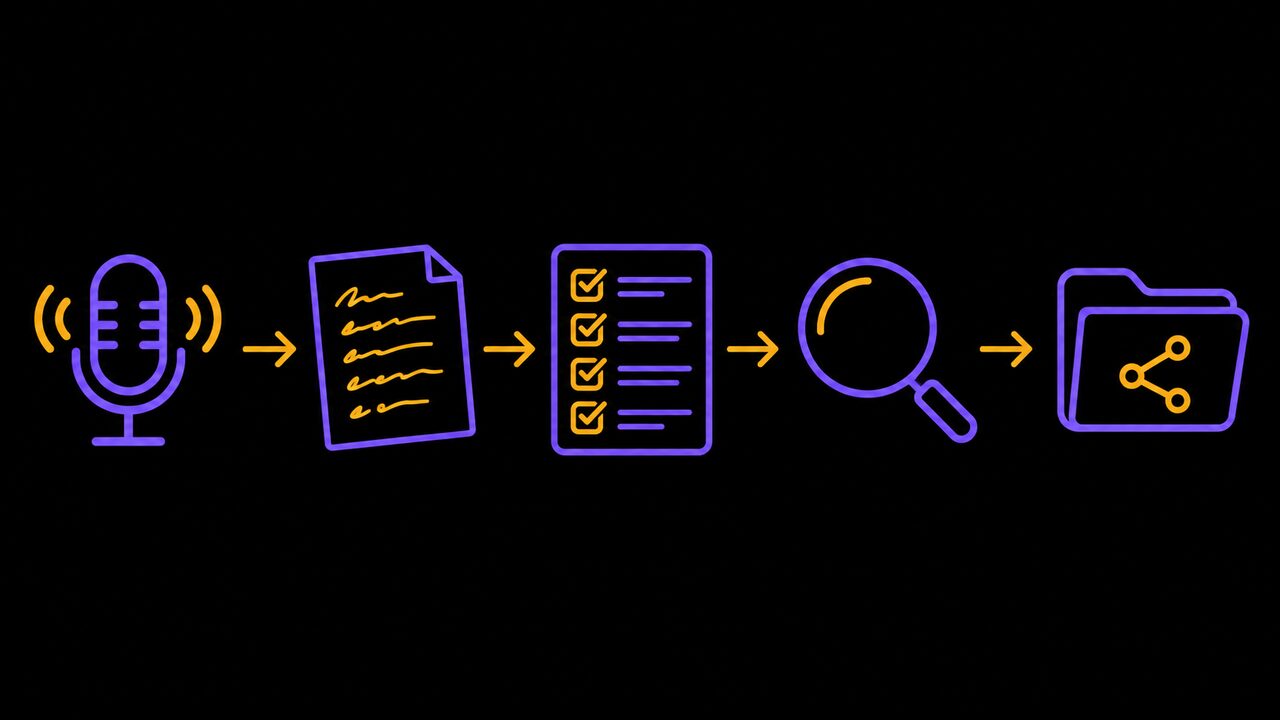
The meeting ends at 10:40. Everyone agreed on something: the supplier gets a call, the quote goes out by Thursday, someone checks the stock count. By Friday nobody can remember who said they would make the call.
That gap between the meeting and the follow-up is where AI note-takers are genuinely useful. They are also the AI tool most likely to record something you did not mean to keep. This guide covers both.
Who this is for and what you need
This is for owners and managers who run regular meetings on Google Meet or Microsoft Teams: weekly team check-ins, calls with suppliers, project meetings with a client. It is not for phone calls on a personal cell, and it is not for meetings you would never want written down. More on those below.
You need a business account on Google Workspace or Microsoft 365, an hour to set things up and test, and someone willing to read the first few summaries carefully. You probably do not need a new app.
Check what you already pay for
Before you sign up for anything, look at what is already in your plan.
Google Meet has a feature called Take notes for me. It writes a summary into a Google Doc while the meeting runs and saves it in the organizer's Google Drive, in a folder called "Google Meet". It needs an eligible Google Workspace edition, so check your plan in the admin console. It works in English, French and several other languages, which matters for a bilingual team.
Microsoft Teams puts its version, AI-generated notes and tasks, in Teams Premium. That is an add-on: each person needs both a regular Teams licence and a Premium one. Microsoft offers an admin trial of 25 licences for 30 days, and individual staff can start their own 60-day trial from inside Teams, so you can test it on real meetings before paying. Microsoft moved some Premium features into Teams Enterprise in April 2026, so check what your current licence includes before you buy.
Standalone note-taking apps exist too, and they work across every platform. They also come with the problem in the next step.
Tell everyone before the notes start
The law sets a low bar. Under the Criminal Code, as employment lawyer Erin Kuzz writes in Canadian HR Reporter, a conversation can legally be recorded if at least one person in it consents. She also warns that automatically recording people who have not agreed may still break the law, and that it damages trust either way.

The tools differ here. Google says Meet shows every participant a notification and a pencil icon when notes are being taken. Some third-party bots are less polite. In August 2025 a California man filed a proposed class action against Otter.ai, the transcription company, alleging that its Otter Notetaker can join a meeting "without obtaining the affirmative consent from any meeting participant, including the host." Otter told NPR it gets explicit permission from users to train its systems, and that audio is de-identified first. Those are allegations, not findings, but they show what goes wrong when a bot is linked to someone's calendar and joins everything.
So do three things:
- Say it out loud at the start: "I'm using AI to take notes. Anyone mind?"
- Put the same line in the calendar invite for external meetings.
- If someone objects, turn it off and take notes by hand. No argument.
PIPEDA, the federal privacy law for businesses, adds the same expectation from another direction. Notes that name customers, suppliers or staff are personal information, and it expects consent and a stated purpose for collecting it. Businesses in Alberta, British Columbia and Quebec answer to their own provincial laws, which are similar.
Decide which meetings stay off the record
This is the step most businesses skip, and it matters more than which tool you pick. Some conversations should never go through an AI note-taker. Make a short list and share it with your team.
The question is not whether the notes are useful. It is whether you want this conversation to exist in writing, on someone else's server.
- HR and discipline. Performance talks, complaints, terminations. A transcript can become evidence, and Kuzz warns that AI transcripts can misidentify a speaker or "misconstrue the meaning".
- Calls with your lawyer. She notes that running solicitor-client conversations through a third-party AI tool can put privilege at risk.
- Health information. A clinic, a physio or a benefits conversation with an employee. Ontario has its own health privacy law for that.
- Pricing and negotiations. Your floor price, a supplier's terms, a bid. Ask first where the vendor stores it.
- Anything with a customer's banking or ID details.
A useful default: internal planning and project meetings, yes. Anything about a person's job, health or legal position, no.
Read the notes before anyone acts on them
AI summaries read as confident and finished. They are neither.
187
invented passages found in more than 13,000 clear audio clips
Associated Press, 2024
8 in 10
public-meeting transcripts with fabrications in one researcher's sample
Associated Press, 2024
Those figures come from Associated Press reporting on Whisper, OpenAI's widely used transcription model, which researchers found would sometimes write whole sentences nobody said. Whisper is not necessarily the engine behind Meet or Teams, and those tools may do better. Google's own help page still says a Meet summary can be "incomplete, inaccurate, or not generated", and recommends meetings of at least 15 minutes.
In practice the errors that hurt are small ones: a "not" dropped, a date wrong, an action given to the wrong person, a condition ("if the client signs") left off. So the person who ran the meeting reads the notes the same day, while they still remember it. Five minutes is enough. Check every name, number, date and action item, and fix them in the document itself.
Send the follow-up yourself
The point of the notes is the follow-up email: who does what, by when. The AI can draft it, but a person should send it.

A good follow-up is short. List the decisions, then each action with one owner and a date, then anything still open. Delete the rest of the summary before you send it. Recipients do not need a paragraph about who joined late. A customer who receives an AI summary saying you agreed to something you did not will hold you to it.
For external meetings, be careful with Google's sharing setting. Meet lets the organizer send notes to all invited guests, only guests inside the organization, or only the hosts. For anything with a client or supplier, pick hosts only, edit, then send the clean version yourself.
Decide where notes live and when they go
Every meeting you record adds another document to a pile that can be searched, leaked or requested in a dispute. PIPEDA's principles include limiting how long personal information is kept, and the business is accountable for it.
Write down three rules, even on one page:
| Question | A sensible small-business answer |
|---|---|
| Where do notes live? | One shared folder, not personal drives |
| Who can open them? | The people who were in the meeting |
| When are they deleted? | Pick a period, e.g. 90 days, unless the notes are a project record |
| Recordings and transcripts? | Delete once the edited notes are saved |
| Third-party tools? | Only ones that say where data is stored and whether it trains their models |
Kuzz also points out that some AI tools send data to servers outside Canada. Ask the vendor before you connect it to your calendar.
Common mistakes
- Linking a bot to your whole calendar. It then joins every meeting, including the ones on your off-the-record list. Switch it on per meeting.
- Forwarding the raw summary. It goes out with every error in it, under your name.
- Assuming silence is consent. Ask, and give people an easy way to say no.
- Keeping everything forever. Old transcripts are a liability, not an archive.
- Using it on a bad line. Crosstalk, speakerphones and short meetings produce the worst summaries.
Where to start
- This week, check your Google Workspace edition or start the Teams Premium trial, and test it on one internal meeting where everyone knows it is running.
- Write your off-the-record list and your storage rules on one page, and share it with the team before anyone else switches a note-taker on.
- For the first month, have the meeting owner read every summary against their own memory. If it is routinely wrong, stop.
If you want help choosing a tool or setting the rules for your team, you can book a call with Trimotech.
Sources
- Take notes for me in Google MeetGoogle Meet Help
- Microsoft Teams Premium licensingMicrosoft Learn, April 1, 2026
- Think before hitting 'transcribe'Canadian HR Reporter, August 5, 2025
- Class-action suit claims Otter AI secretly records private work conversationsNPR (via Michigan Public), August 15, 2025
- PIPEDA requirements in briefOffice of the Privacy Commissioner of Canada
- Experts warn of AI's 'hallucinations' in medical, legal transcriptionsThe Associated Press (via Fox 11), October 26, 2024
Questions
- Is it legal to record a meeting with an AI note-taker in Canada?
- Under the Criminal Code, a conversation can be recorded if at least one party consents, but that is the floor, not good practice. PIPEDA also expects consent and a clear purpose when a business collects personal information, so tell everyone at the start and give them a way to say no.
- Do I need a separate app like Otter, or is it built into what I already have?
- Often it is built in. Google Meet's Take notes for me comes with eligible Google Workspace editions, and Microsoft's AI-generated notes and tasks come with the Teams Premium add-on, which has a free trial. Check your own plan before buying a separate tool.
- Can I trust the action items the AI writes?
- Treat them as a draft. Transcription models have been documented inventing words, and summaries can misattribute who said what or drop a condition. Have the person who ran the meeting read the notes and fix them before the follow-up goes out.
Read next
-
Operations · · 6 min read
How to turn what is in your head into written procedures with AI
Most small businesses run on what one or two people know. Here is how to use AI to get it on paper in an afternoon, and how to check it before staff rely on it.
-
Getting paid · · 5 min read
How to chase overdue invoices with AI without losing the customer
Late invoices cost small firms time and cash. Here is how to let software remind and AI draft the messages while you keep control of tone and escalation.
-
Real estate · · 8 min read
Can AI write my listings and answer leads without breaking the rules?
Agents use AI for listing copy, photo edits, late-night lead replies and follow-ups. What works, what it costs, and where Ontario's rules draw the line.